
Procreate for Mac isn't out yet, and neither is Procreate 6. Procreate is building both on one codebase, calls 2027 its goal without locking a date, has no beta program yet, and says the Mac version won't run on Intel Macs. The App Store listing still names iPad as the only compatible device. My advice is to keep working on the iPad, back up your .procreate files, and hold off on buying a Mac for Procreate until a beta call or a requirements list appears.
The real updates live on Procreate's Folio forum, not on its website. The Procreate 6 & Procreate Mac thread on Folio is where the CEO and staff post progress, and most pages and videos that turn up for this question repeat one moment from that thread, often a date that has since moved.
Is Procreate available on Mac now?
No. Procreate's App Store listing costs $12.99 in the US store, and its Compatibility section has a single row: iPad, iPadOS 16.3 or later. The menu on procreate.com lists three apps, Procreate for iPad, Procreate Dreams and Procreate Pocket for iPhone, with no Mac product among them.
Two kinds of results muddy this. A 2020 Folio thread called Procreate Running on New Macs guessed that Apple silicon Macs would run Procreate like any iPad app. That was a forum member's guess after an Apple keynote, and the listing still offers no Mac row. Setapp's Procreate for Mac roundup was last updated in February 2024 and points you to alternatives, so it predates the announcement entirely.
Then there are download sites with a "Procreate for Mac" button. Procreate doesn't distribute a desktop installer, so I'd skip every one of them for the same reasons the Procreate for PC guide gives for Windows files: at best you get another app wearing the name, and at worst you run an unknown program on the computer that holds your artwork.
When will Procreate for Mac come out?
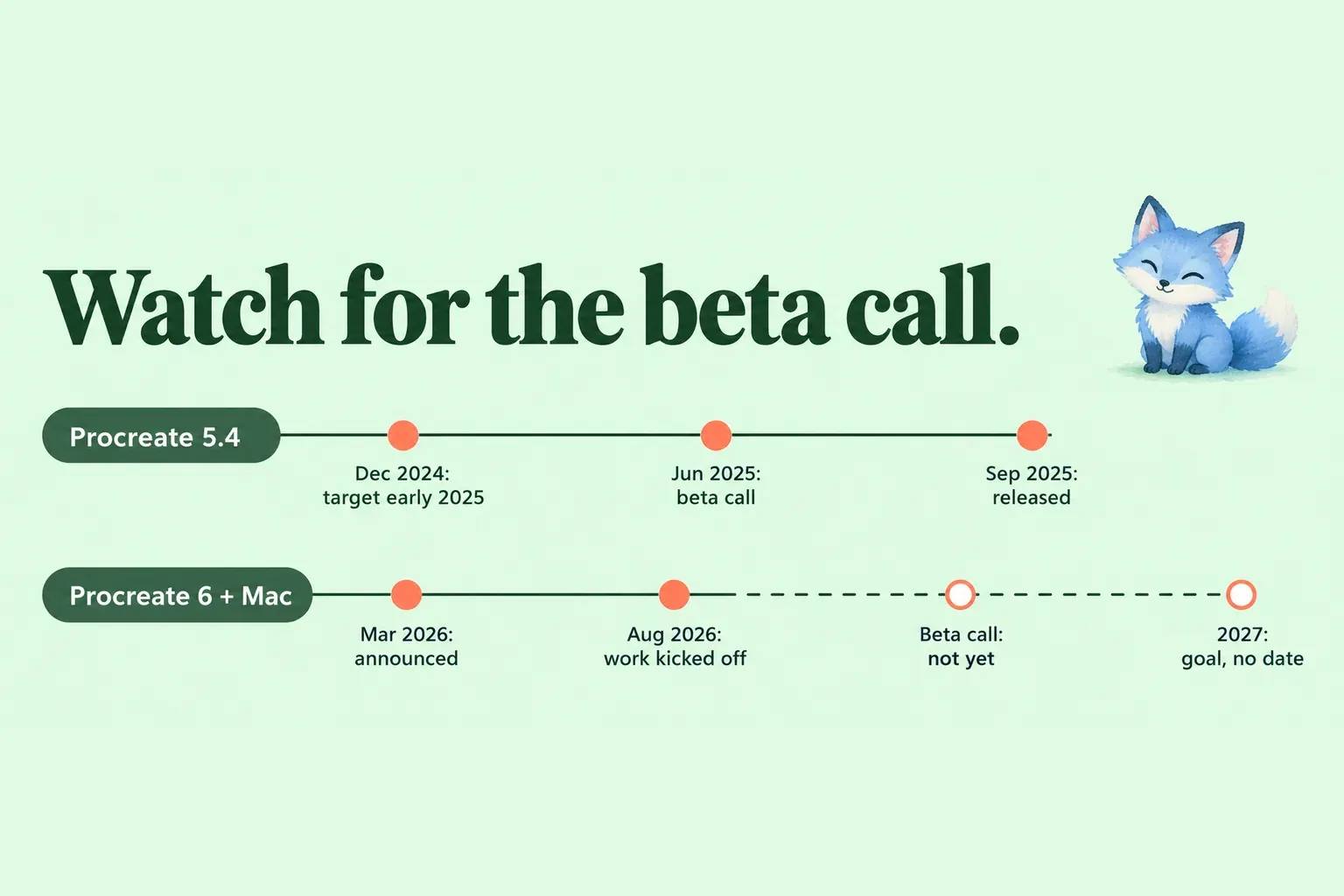
Procreate's target is 2027, stated as a goal rather than a date. CEO James announced Procreate Mac and Procreate 6 together on March 19, 2026. Both share the same codebase and run on Procreate's next-generation Phoenix engine, the technology already behind Procreate Dreams, and staff talk about them as one release window. The announcement said neither would ship in 2026 and that both were most likely arriving in 2027.
Here's how the wording has moved since the first roadmap post:
| Staff post | What it said |
|---|---|
| Sep 25, 2025, James | Too early to talk about Procreate 6 release dates |
| Mar 19, 2026, James | Procreate 6 and Procreate Mac won't ship in 2026, most likely 2027 |
| Apr 10, 2026, James | First Mac prototype draws brush strokes with a Wacom tablet as input |
| Jun 29, 2026, James | Some features, such as the Lasso tool, are taking longer; earlier feature roadmaps are out of date |
| Jul 2, 2026, Katherine | No set timeframe |
| Aug 18, 2026, Katherine | Procreate 6 work has officially kicked off and is in very early stages |
| Sep 24, 2026, Katherine | 2027 is still the plan |
| Oct 5, 2026, Clarey | Likely 2027, no beta program yet |
| Oct 19, 2026, Katherine | Releasing Procreate 6 in 2027 is the goal, with no date locked in |
The first post comes from the September 2025 Procreate roadmap, and the October 5 reply sits in the What we're working on thread. The rest are in the Procreate 6 & Procreate Mac thread.
How to read "2027"
Procreate 5.4 is the best guide to how a target behaves. In December 2024 staff moved the brush update to early 2025. In the Procreate 5.4 roadmap thread, the beta call opened on June 4, 2025, TestFlight invitations were out by June 10, and 5.4 reached the App Store on September 11, 2025. So the update landed in September instead of early in the year, about three months after the beta call.
Procreate 6 has no beta call yet. I'd read 2027 as the earliest realistic window and treat the beta call as the signal that matters, because a release before it would break the pattern Procreate set with 5.4.
What's confirmed for Procreate 6
Six features were named in the September 2025 roadmap and again in the March 2026 announcement: more layers, adjustment layers, blend modes on groups, iCloud file sync, undo history saved in the file, and layers larger than the canvas. Customizable keyboard shortcuts were then confirmed for both Procreate Mac and Procreate 6. Procreate also says the move to new technology keeps the same user experience, so the Procreate you know is the starting point, even though the CEO expects the Mac interface to change a lot as it develops.
For a layer-heavy file, the first two items carry the most weight. Today the Procreate layer limit depends on canvas size and iPad memory, and blend modes apply to single layers, so a crowded layer stack is exactly where Procreate 6 aims to help.
| Status | Features |
|---|---|
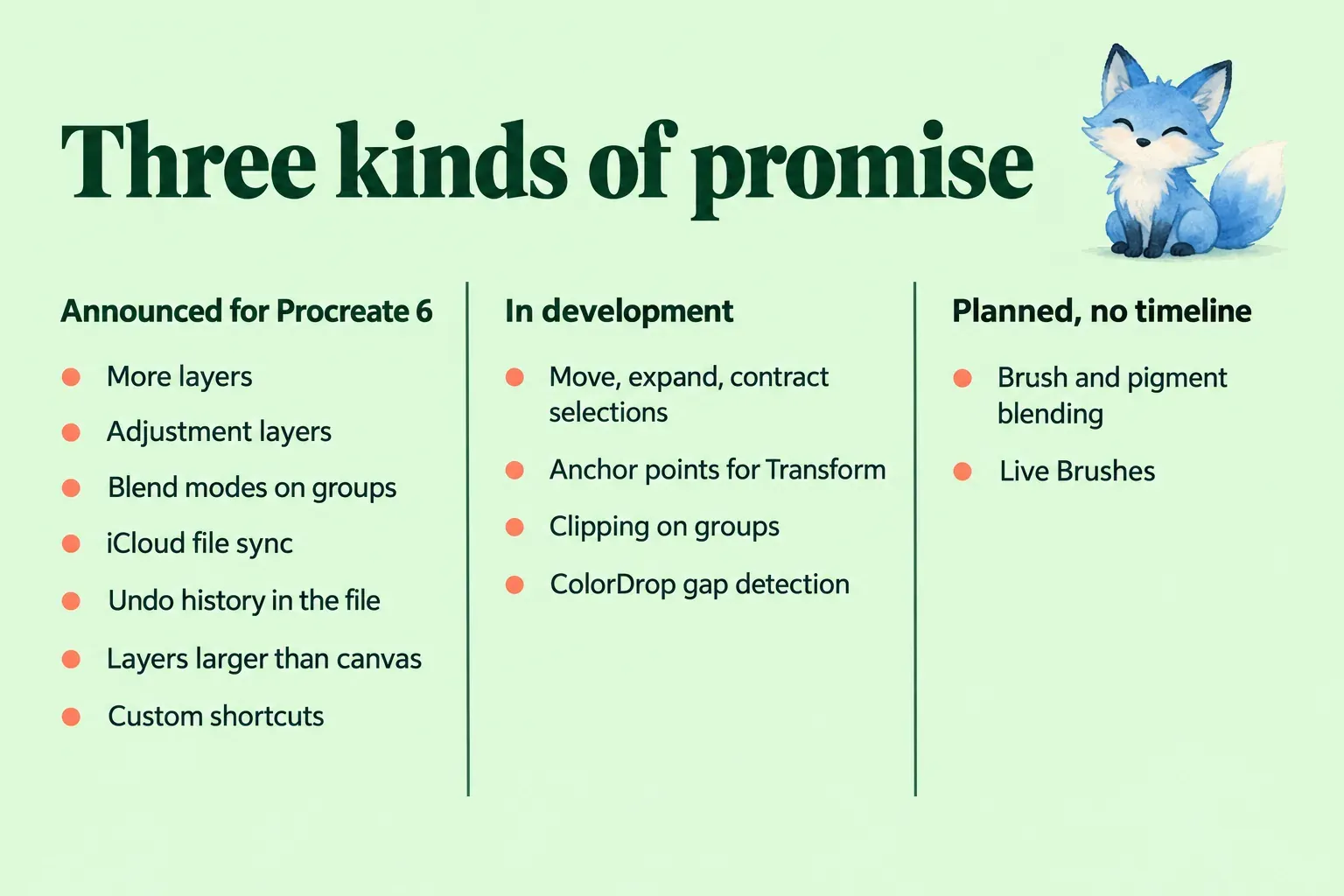
| Announced for Procreate 6 | More layers, adjustment layers, blend modes on groups, iCloud file sync, undo history saved in the file, layers larger than the canvas, custom keyboard shortcuts (also coming to Mac) |
| In development, tied to Procreate 6 by staff | Move, expand and contract selections; adjustable anchor points for Transform |
| In development, release not named | Selections stabilization, group and multiple reference layers, layer group opacity, clipping masks on groups and group masks, gallery search, sorting and stacks in stacks, preventing crops outside the canvas, ColorDrop gap detection |
| Next priority after the Procreate 6 features | Lasso Fill |
| Planned, no timeline | Brush and pigment blending, Live Brushes |
| Not planned | A vector tool in Procreate |
The middle rows come from Folio's In Development list, which staff say doesn't guarantee a timeline. Brush and pigment blending is where creator content runs ahead of the lists: the title of a Bardot Brush video says pigment is "coming to version 6", while staff still describe brush and pigment blending as planned with no news yet. I'd plan around the lists, not the video title. If your work depends on the new selection tools or clipping masks, today's techniques still apply until Procreate 6 ships.
Will Procreate for Mac run on an Intel Mac?
No. Staff said in July 2026 that Procreate Mac can't support Intel Macs, because Procreate's rendering relies on specific technologies in Apple silicon. On an Intel iMac or MacBook Pro, the realistic routes are the iPad app or a desktop painting app.
Apple silicon is the only hardware condition named so far. There's no minimum macOS, chip generation or memory figure, and staff say the minimum iPadOS for Procreate 6 can't be set until they can test against the iPadOS versions available at release. The current app needs iPadOS 16.3 or later. That's why I wouldn't buy a Mac for Procreate yet: wait for a requirements list or a beta call, then match the hardware to it.
The first Mac prototype drew from a Wacom tablet, and the CEO pointed to the bigger drawing surface, extra power and memory as reasons for the desktop version. Procreate also said it was hesitant to build for desktop because desktop touch displays lag behind iPad and Apple Pencil in performance and accuracy. Pen tablet support is the input staff have shown, not a final hardware list.
What happened to Procreate 5.5?
The label stopped mattering in June 2026, and its features started arriving in 5.4 updates. The September 2025 roadmap called 5.5 the first 2026 update. The Procreate 5.5 plan from March 2026 listed color fill with gap detection, a Lasso Fill tool, a new LAB color picker, eyedropper sampling from the active layer, new bulk layer actions and reference window improvements. On June 29 the CEO said the earlier feature roadmap posts were out of date and that the team was putting most of its effort into Procreate 6.
Two of those items shipped in Procreate 5.4.12 on July 27. The Eyedropper can now sample only the active layer, and you can select all layers to duplicate, share or merge them at once. ColorDrop gap detection is on the In Development list, which matters if you're fighting a ColorDrop leak today, and Lasso Fill is the top priority after the Procreate 6 features. Until then, the current fill methods in Procreate are what you have.
What to do on a Mac today
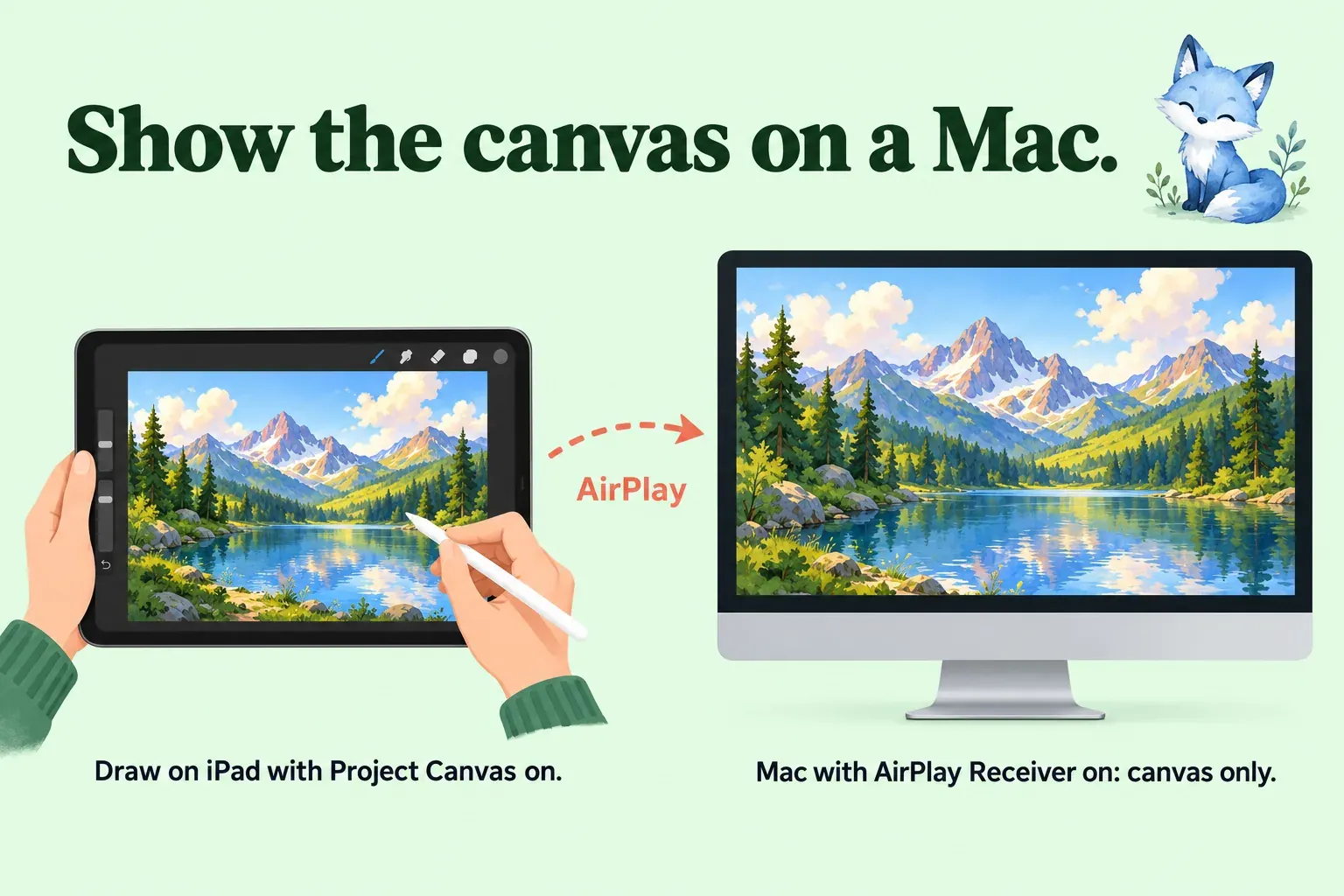
If the Mac is where you want to see your art, the iPad can send it there now. Procreate's Project Canvas shows only the canvas, full-screen, on a second display connected by cable or AirPlay: tap Actions → Prefs → Project canvas. When someone on Folio asked whether Procreate 6 will support external displays on iPad or Mac, staff pointed to this same route. To use a Mac as that display, turn on AirPlay Receiver on the Mac under System Settings → General → AirDrop & Continuity, then mirror the iPad to it. Both devices need to meet Apple's requirements for AirPlay to Mac.
Sidecar runs the other way, and it won't put Procreate on the Mac. Apple's Sidecar instructions turn the iPad into a Mac display that works with Apple Pencil, which helps with Mac apps, but opening an iPad app such as Procreate suspends the Sidecar session until you switch back. I'd use Project Canvas for showing iPad work on a Mac screen and Sidecar only when you're painting in a Mac app.
If you need to paint on the Mac itself, the Mac section of the Procreate for PC guide covers Krita and Clip Studio Paint and what each needs. Carry iPad work over as a layered file with the Procreate PSD handoff steps, and check what survives the trip in Procreate to Photoshop.
Whatever you choose, protect the original first. A .procreate backup of your Gallery is the one copy every future version can open. Staff have also invited users to send a .procreate test file through the Procreate support page, labeled as a Folio Procreate test file, and say those files are deleted after testing. If you send one, send a duplicate, never the only copy of a piece you care about.
What to watch next
Three signals matter more than any date in a video title: a beta call in the Procreate 6 & Procreate Mac thread, a requirements line for the Mac app, and a price. On price, Procreate has only said "affordable", so any number you see now is a guess. Today's iPad app is a one-time purchase, and what Procreate costs now is the only figure you can plan with.
If the Procreate 6 beta works like the 5.4 one, which overwrote the App Store build, I'd back up the whole Gallery before joining. Staff have also said they still hope to ship a smaller update before Procreate 6, with nothing concrete yet. Procreate Dreams for Mac is a separate question: a desktop Dreams is listed as Planned, and in October staff said the team is focused on Procreate for Mac.
This is an independent guide. It is not affiliated with or endorsed by Procreate.